
Online Course: On Demand
SAP Analysis for Microsoft Office
with Denis Reis
The course in detail:
Take full control of your SAP data, right inside Microsoft Excel! This three-lesson course walks you through SAP Analysis for Microsoft Office (AfO) from the ground up: connecting data sources, shaping and formatting reports, customizing the tool, enabling planning workflows, and building formula-driven or macro-powered workbooks. Whether you're new to AfO or looking to go beyond the basics, you'll develop the practical skills to design flexible, user-friendly workbooks.
What you'll learn:
- Connect SAP data sources to Excel workbooks, manage variables, and apply filters and hierarchies
- Create custom calculations, merge reports, and apply professional formatting and protection settings
- Configure AfO profiles, customize the user interface, and troubleshoot common issues
- Work with SAP planning functions, carry out manual planning, and manage data write-back
- Build formula-driven workbooks using SAP-specific functions and automate workflows with VBA macros
Who is this SAP Analysis for Microsoft Office course suitable for?
- Finance, controlling, and business intelligence analysts and consultants
- Power Excel users who want to integrate SAP data into their reporting workflows
- SAP project team members involved in reporting and planning tool rollouts
Prerequisite: Attendees should have prior knowledge of Microsoft Excel at a beginner level. No previous experience with SAP Analysis for Microsoft Office is required. If you need more information about the learning level, please feel free to ask us
These SAP Analysis for Office topics will be covered in this course:
- Connecting and managing data sources in Excel workbooks
- Variables, prompts, filters, hierarchies, and navigation
- Calculations, dimension linking, report merging, and grouping
- Style templates, conditional formatting, and workbook protection
- AfO profiles, UI customization, and troubleshooting
- Manual planning, planning functions, recalculations, data write-back, and updating objects
- Formulas, API methods, macros, breakpoints, callbacks, and debugging
The "5 Things You Should Know" about the course:
Learn more about Rheinwerk Courses with our FAQ.
Note: With purchase, you’ll receive an access link to session recordings and slide decks on the learning platform within one business day. Learn at your own pace, revisit key concepts, and reinforce your understanding of the topic. This course offers you the opportunity to learn directly from a top SAP expert. Don’t miss out!
Lessons: On Demand

Fundamentals for Preparing and Analyzing Complex Data Models
Learn to independently connect SAP data sources to Excel, analyze data, and save your results. Explore advanced data preparation techniques, use filters and conditions, create custom calculations, merge reports, and format and protect your workbooks for professional use.
Topics:
- Inserting, updating, and managing data sources and workbooks
- Variables, prompts, hierarchies, filters, and aggregation
- Calculations, dimension linking, report merging, and grouping
- Style templates, conditional formatting, dynamic charts, and workbook protection

Custom Configuration and Planning
Tailor AfO to your organization's needs: setting up profiles, adjusting the UI, and customizing settings. Then activate planning capabilities to carry out manual data entry, run planning functions, and manage data write-back.
Topics:
- Creating, adjusting, setting as default, and embedding AfO profiles in workbooks
- UI customization, options configuration, and troubleshooting/reactivating the add-in
- Activating planning, manual input, planning functions and sequences
- Change/display mode, recalculation, saving, work status, and data write-back

Working with Formulas and Macros
Go beyond standard Excel functions! Use SAP-specific formulas to pull and filter data from your data sources. Then build VBA macros with AfO API methods to automate workflows, handle callbacks, and apply dynamic design rules.
Topics:
- AfO formulas: SAPGetData, SAPSelectMember, SAPGetDimensionInfo, and more
- Creating formulas, working in formula-optimized mode, and converting crosstab cells to formulas
- API methods: SAPSetFilterComponent, SAPSetData, SAPSetVariable, SAPExecuteCommand, and more
- Working with macros, breakpoints, callbacks, and macro-driven design rules
Ticket Options
Your Expert

Denis Reis is a business intelligence consultant at PwC. His areas of expertise include SAP business intelligence, SAP Integrated Business Planning, SAP Business Planning and Consolidation, and SAP Analysis for Microsoft Office. Denis also teaches project management and controlling at the Wiesbaden Business School.
Discover Additional Courses

Transform your analytics workflow with SAP Analytics Cloud! Expert Shakthi Ramalaxmi walks you through the end-to-end analytics process in this course. Participants will learn how to wrangle data models, create interactive dashboards, configure planning workflows, and set up predictive analytics. Begin with an introduction to SAP Analytics Cloud, including navigation, architecture, and data connectivity. Experience data model creation from the ground up and then learn to design compelling stories with chart customizations, geo maps, and bookmarks. Explore the planning capabilities of SAP Analytics Cloud and work with predictive analytics for improved decision making.
Online Course: On Demand

Don’t let the “magic” of management accounting intimidate you! Master the essential elements of controlling in private cloud and on-premise SAP S/4HANA with this course. After exploring SAP S/4HANA deployment models, tables, and UIs, dig into the controlling subprocesses that measurably improve your profitability. See how cost element and cost center accounting, internal orders, margin analysis, product costing, and actual costing are typically run in SAP S/4HANA and understand the configuration settings that support them. For new entrants to the SAP space, get started by laying strong CO foundations; for mid-career practitioners, refresh your view of controlling in the “new” SAP S/4HANA world!
Online Course
Pair This Course with These Books
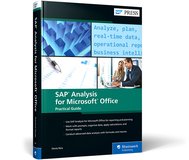
Managing your SAP data in Microsoft Excel? This is your guide to using SAP Analysis for Microsoft Office! Get started with the basics, from creating your first workbook to navigating through reports. Then, follow step-by-step instructions to process data, analyze data, develop planning applications, customize reports, and work with tools such as formulas and macros. Including details on troubleshooting, UI customization, and more, this book is your all-in-one resource!
E-book, Print, Bundle
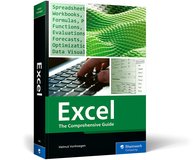
If you’re using Excel, this is the all-in-one manual you need—brimming with solutions for every conceivable task! Learn how to design tables, use formulas to perform calculations, create analyses, graphically present your data, and share your results. With detailed coverage of both basic functions and advanced features, this book provides guidance for beginners and serves as a reliable reference if you’re already familiar with Excel. Up to date for Excel 2024 and Microsoft 365!
E-book, Print, Bundle
Ready to take your SAP skills to the next level?
Visit our course webpage to explore our upcoming sessions and secure your spot today with our early bird pricing! Thank you for choosing us as your trusted partner in SAP education.
via the ticket shop by our partner pretix
with credit card or PayPal
Get in touch for a quote